A content idea becomes useful when someone can decide what to do with it. For a small team, that means knowing which brief it follows, which version was saved and what still needs review.
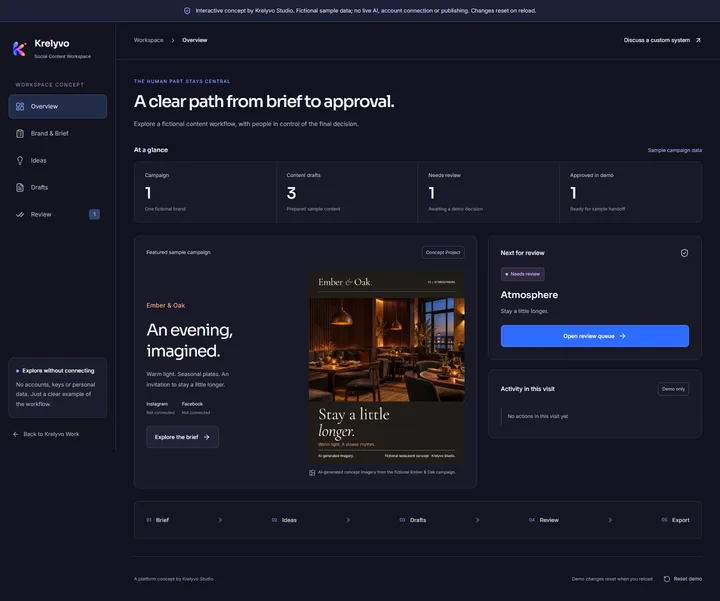
This guide follows a fictional Ember & Oak restaurant campaign inside Krelyvo’s Social Content Workspace concept. Its prepared ideas, caption editor and local review controls illustrate those decisions. No live AI or social accounts are connected. Changes last for the open page session and reset on reload.
Start with a useful brief
Before preparing a post, give the person writing it enough context to make a good choice. A practical brief answers five questions:
- Goal: What should this piece help the audience understand or consider?
- Audience: Who is it for, and what do they already know?
- Voice: How should the brand sound?
- Approved information: Which details and examples can the writer use?
- Boundaries: Which claims, subjects or actions need checking first?
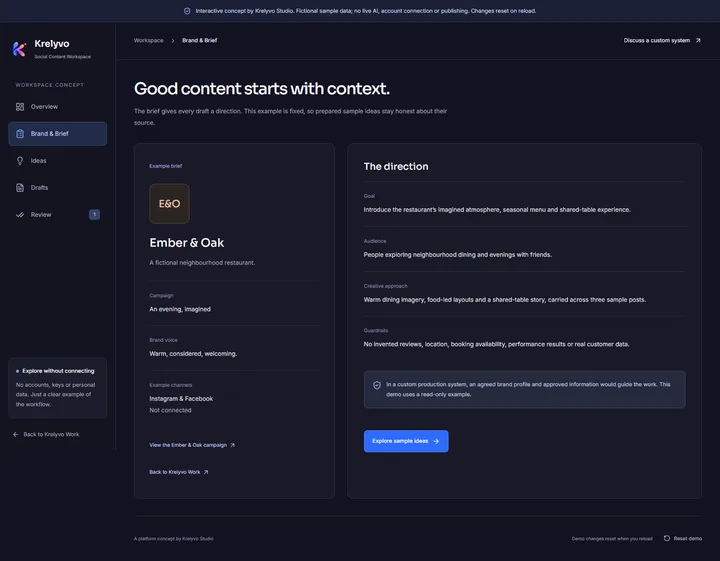
In the Ember & Oak example, the goal is to introduce an imagined restaurant’s atmosphere, seasonal menu direction and shared-table experience. The voice is warm and welcoming. Its boundaries rule out invented reviews, booking availability and real customer information.
The demo brief is read-only. In a real project, agree who maintains the brief and how changes reach the people preparing content.
Turn a direction into reviewable ideas
An idea needs a purpose and a proposed format so someone can judge whether it belongs in the campaign. The three prepared directions in the demo approach the same brief differently:
- Atmosphere: introduce the warmth of an imagined evening.
- Menu direction: connect a fictional seasonal dish to food-led creative.
- Gathering: make the shared table the centre of the story.
Each opens an existing sample draft. Opening it does not generate another idea, call a model or create another record.
For a custom system that uses AI, decide which information suggestions may draw on, what a useful suggestion should contain and what happens when a fact is missing. Those decisions belong in the scope before generation is connected.
Keep drafts editable and separate from approval
A draft gives the team something specific to improve: saved text alongside the creative it accompanies. For example, the Gathering caption begins:
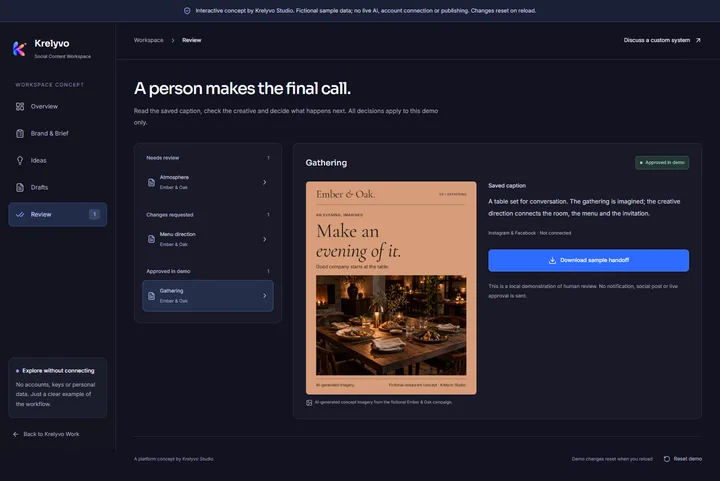
A table set for conversation. The gathering is imagined; the creative direction connects the room, the menu and the invitation.
That wording keeps the fictional context inside the content itself. A reviewer can assess both its tone and what it claims.
In the demo, saving a changed caption returns the item to Draft and clears its previous approval. Saving identical text leaves its status unchanged. Unsaved edits must be saved or discarded before the visitor moves on.
The principle is straightforward: approval applies to the saved version someone actually checked. A later edit needs another review, even when the change appears small.
Make review a clear decision
“Looks good” leaves room for different interpretations. A useful workflow makes the decision and its consequences visible.
| Stage | What it means in the demo | Next step |
|---|---|---|
| Draft | Saved text is being prepared. | Send it for demo review when ready. |
| Needs review | The saved caption and artwork await a decision. | Approve in demo or request changes. |
| Changes requested | A review note identifies what needs attention. | Revise and save, or resubmit the saved draft. |
| Approved in demo | The saved caption is eligible for a sample handoff. | Download it, or edit it and review again. |
Review should consider the facts, brand voice, image context and intended next step. A note such as “Keep the menu description clearly illustrative” gives the writer a specific issue to address.
The same visitor explores these roles in the concept. It has no separate reviewer accounts, shared persistent records or teammate notifications. A real build needs an agreed owner for each decision.
Treat export as an explicit handoff
Approval should make the next action clear. The concept lets a visitor download an approved saved caption as a local text file. That file includes the fictional campaign context and its demo approval label. It contains no original artwork and does not publish a post.
For a real team, define what the handoff must contain. A caption alone might leave someone searching for the correct image. A handoff could instead identify the approved creative, intended channel, responsible person and any remaining checks. These are scope decisions to agree before development.
Account connections require their own discussion: who controls access, which actions are permitted, where human approval remains and which ongoing costs apply. An interface preview does not establish those permissions.
Start with the handoff the team can use reliably, then assess any authorized integration it needs.
Decide what belongs in the first build
A useful first brief for a custom content system can start with five questions:
- What repeated content task should the system support?
- Which brand facts and examples are approved?
- Who can edit, review and approve each output?
- What should happen when information is missing or changes?
- What handoff or authorized integration is actually needed?
Write the answers in the team’s own words. Include examples of a useful draft and a situation where the system should stop for a person.
Krelyvo’s AI Agents & Automation service explains the available starting points for scoping custom work.
Explore the example, then discuss your own workflow
Explore the interactive concept to follow the fixed brief, open a sample draft and try the local review decisions. Reloading restores the original samples.
You can also see the platform concept on Work.
For a workflow shaped around your business, discuss your content workflow. The brief, deliverables, review rules and connections would be agreed individually.